Droid
在 Droid 中接入 APICAT。
安装 Droid
对于 Mac/Linux 用户,请使用以下指令安装:
curl -fsSL https://app.factory.ai/cli | sh
对于 Windows 用户,请使用以下指令安装:
irm https://app.factory.ai/cli/windows | iex
更多信息可参考 Droid 文档 。
配置 APICAT API
WARNING
重要提示:使用前请先清除 Anthropic 环境变量
在配置前,请确保清除以下 Anthropic 相关的环境变量,以免影响 APICAT API 的正常使用:
ANTHROPIC_AUTH_TOKENANTHROPIC_BASE_URL
- 使用以下指令,更新 Droid 配置文件,该配置文件的路径为
~/.factory/config.json。
INFO
提示:
- 配置文件的路径为
~/.factory/config.json, 并非~/.factory/settings.json - 清空
ANTHROPIC_AUTH_TOKEN环境变量,否则会覆盖.factory/config.json中的 API Key 并导致错误
{
    "custom_models": [
        {
            "model_display_name": "example-coding-model",
            "model": "example-coding-model",
            "base_url": "https://www.zeoapi.com/anthropic",
            "api_key": "your-api-key",
            "provider": "anthropic",
            "max_tokens": 64000
        }
    ]
}
- 进入项目目录,启动
Droid
cd /path/to/your/project
droid
- 输入
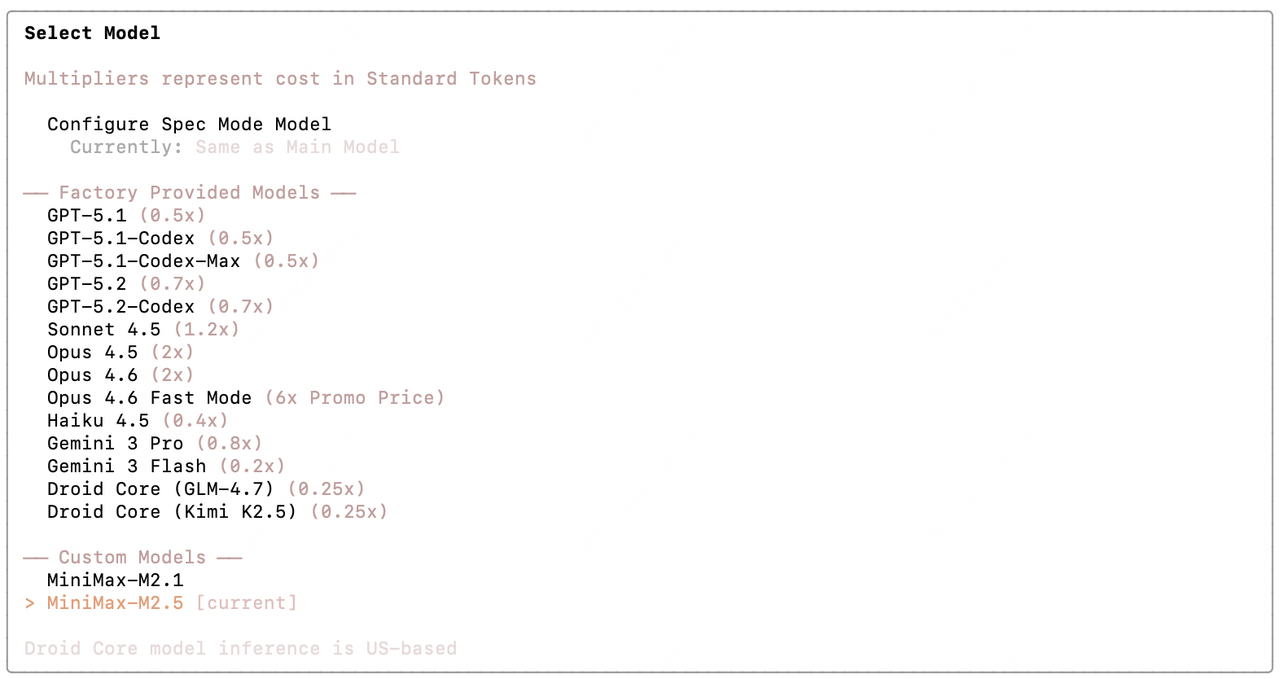
/model,选择已配置模型,并在 Droid 中使用